
What you get.
Here’s what ImpactFSM includes today. Nothing on this page is coming soon.
Clients and properties
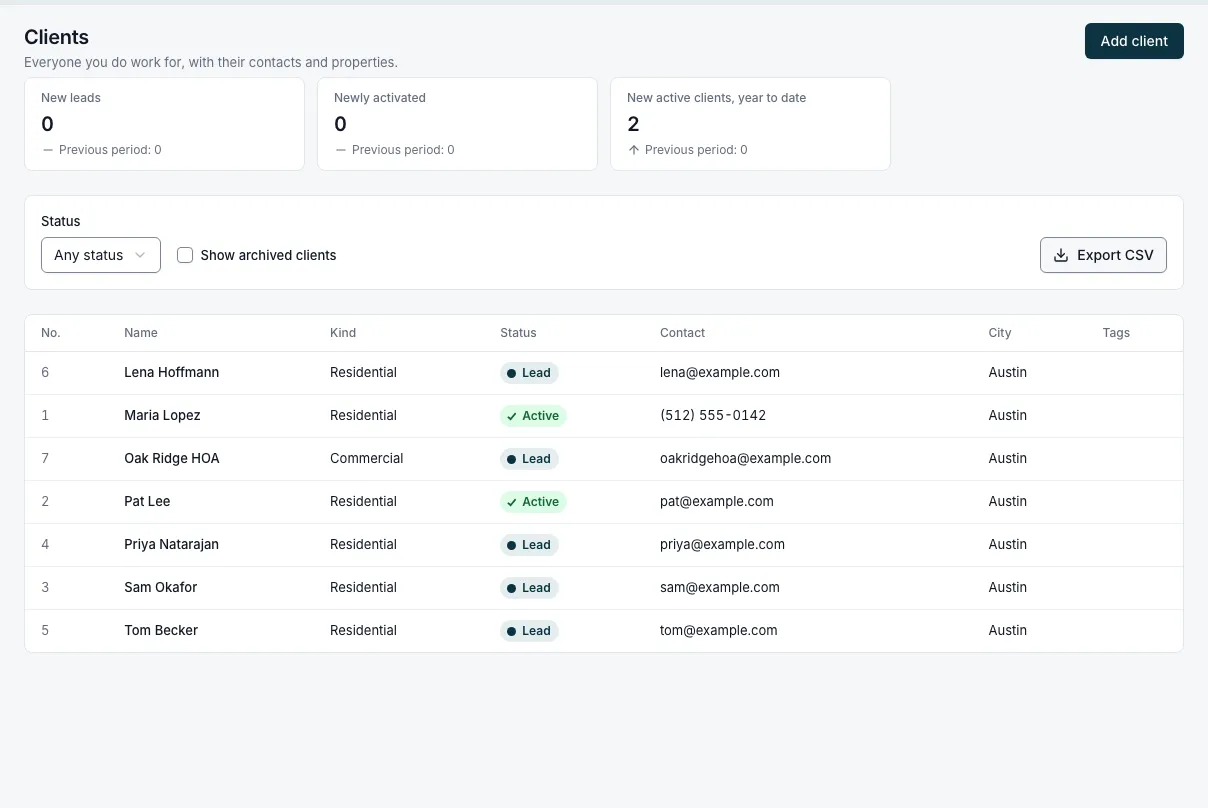
- People or companies, with several contacts and how each likes to be reached
- Several service properties per client, with map locations, gate codes and access notes
- Tags, lead source and a client ledger with the balance
- Custom fields on clients, properties, quotes, jobs and invoices
- Import from a spreadsheet. Undo it if it goes wrong.
Requests
- A lead form for your website, with spam protection
- Clients pick an open time for an on-site assessment. You approve or decline.
- One inbox for every request, with the assessment visit on the schedule
- Convert a request to a quote in one step
Quotes
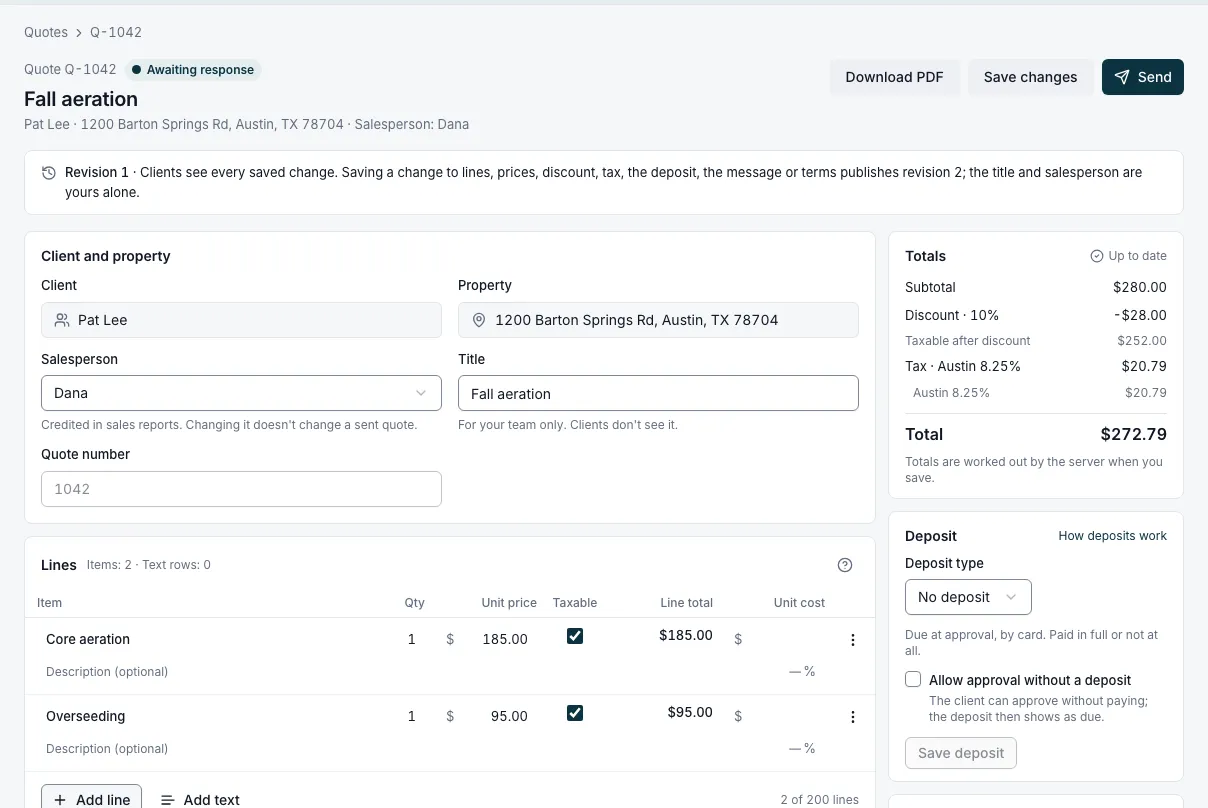
- Line items from your catalog, discounts, sales tax and your internal margin
- Sent by email with a link and a PDF; the client approves and signs online
- Deposits, fixed or a percentage, collected at approval
- Change requests from the client, and revisions that need a fresh approval
- Automatic follow-ups while a quote is awaiting a response
Jobs and visits
- One-time jobs with one or more visits, and recurring jobs on any schedule
- Convert an approved quote with one click
- Arrival windows and flexible-time visits
- Notes and photos on every visit, with the job’s notes carried along
- Job and visit statuses, like late or ready to invoice, worked out automatically
Scheduling
- Day, week and month views with a color for each team member
- Drag to reschedule or reassign; warnings on conflicts, never a block
- Printable day sheets
- A calendar feed that puts each team member’s schedule in their phone calendar
The field app
- Installs from your phone’s browser. No app store download.
- Today’s visits with directions and a call button
- Start a visit, add notes and photos, then mark it complete
- On-my-way texts and a 6:30 daily agenda email
- Quote with a signature and take payment on site
- Workers see the job, never the prices
Invoices
- Per visit, when the job closes, or on a fixed schedule for recurring work
- A list of work ready to invoice. On Plus and Pro, create and send invoices in batches.
- Payment terms, due dates and past-due reminders
- Void, write off, and keep the history
Payments
- Card and bank payments online, with saved cards
- On site: type in a card, show a QR code, or take cash or check
- Partial payments, payments across several invoices, credits and refunds
- Tips on portal payments
- Payouts to your bank through Stripe
The client portal
- A link in every email, no password to remember
- See and approve quotes, pay deposits and invoices, save a card
- Upcoming appointments and visit history
- Your logo and color on quotes, invoices and the portal
Email and texting
- Branded email for quotes, invoices, confirmations and reminders
- Text reminders, on-my-way texts and invoice links
- Your own business number with a two-way inbox on Plus and Pro
- Every message saved on the client’s record
Automations
- Ready-made quote follow-ups and past-due reminders. You choose how long to wait.
- On Pro, build your own: when a quote is sent or an invoice is due, wait, check a condition, then send a message, add a tag or notify the office
- A history of every automatic message, so you can see what went out
Reports
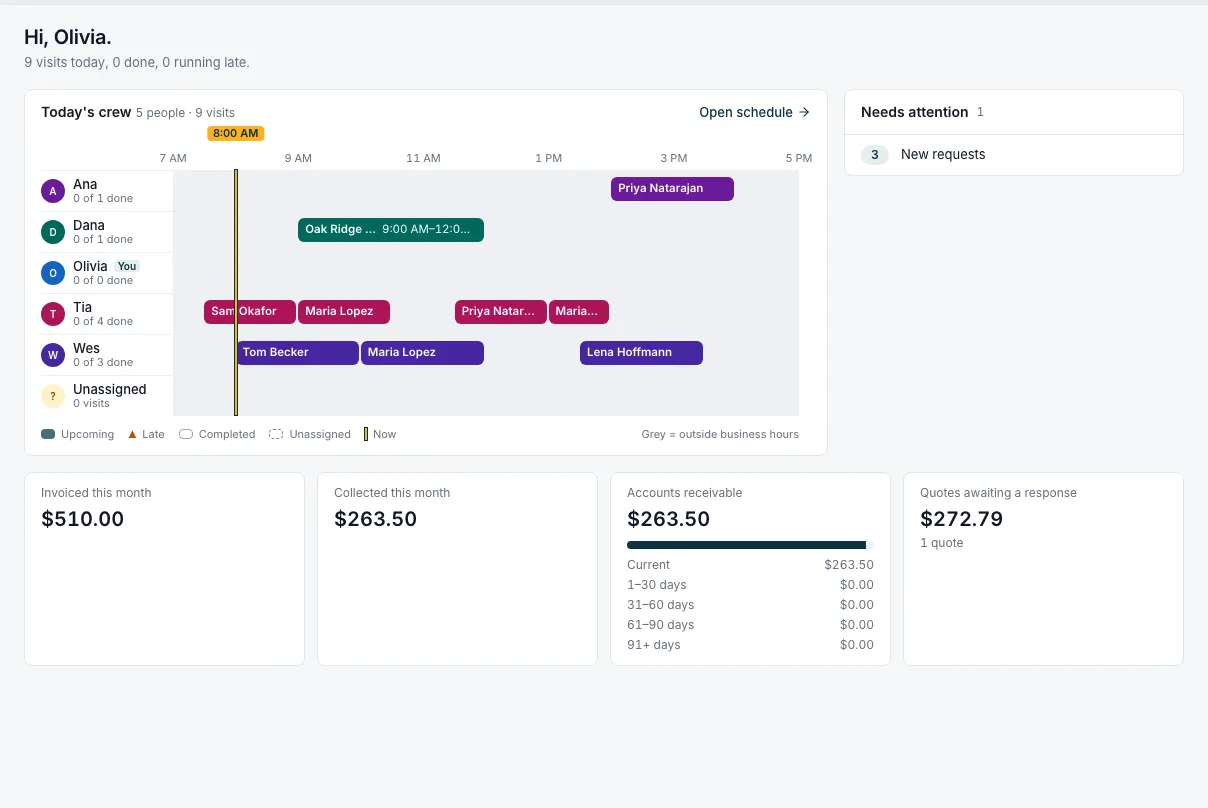
- Home: today, what needs attention, and this month’s money
- Transactions, who owes you and for how long, sales tax, invoices and client balances, all exportable to CSV
- The business overview and reports on payments due and bad debt, on Pro
- A history line for every record
Team and permissions
- Five roles: Owner, Admin, Dispatcher, Technician, Worker
- Invite team members by email. Deactivate someone and reassign their work without losing their history.
- Two-factor sign-in, required for the Owner before payouts
- An audit log of who changed what
Your account
- Sign up in minutes with a 14-day Pro trial and no card
- A setup checklist that knows what you’ve done
- Cancel in one click; export everything to CSV
- Your records stay on Free, with no limits
See it with your own jobs.
Start free, import your clients and send yourself a quote. 14 days of Pro, no card.